Smartphones sit at the center of daily life, but most people only use a fraction of what their devices can actually do. Many powerful features hide in settings menus, quietly waiting to boost speed, security, and convenience. When you know what to look for, you can choose better phones and get more value from the one already in your hand. Key features like 5G, high refresh rate displays, AI cameras, and smarter battery tools now shape real-world experience more than raw specs alone. This guide walks through the essential features you should understand and actively use. You will see how each one affects everyday tasks such as streaming, gaming, browsing, taking photos, and keeping your personal data safe.
Essential Connectivity and Performance Features
5G Connectivity for Faster Everyday Use
5G does more than speed up a simple download; it changes how smoothly your phone handles online tasks all day. On devices such as the HONOR X6d 5G in KSA, a good 5G signal helps apps open cloud content faster, videos start playing in higher resolution with less buffering, and video calls stay clearer and more stable. You feel this difference when you stream music on the go, load map data while driving, or browse large social media feeds. Many carriers now offer mid-band 5G that balances speed and coverage, so you do not need to stand near a tower to see benefits. When you buy a new phone like the HONOR X6d 5G, check that it supports the main 5G bands in your region and enable 5G in network settings to actually use the feature.
Powerful Processors and Smooth Multitasking
The processor inside your smartphone acts as the engine that drives every app, game, and background task. Modern chips from Qualcomm, Apple, MediaTek, and Samsung combine fast CPU cores, strong graphics units, and AI accelerators on a single piece of silicon. You notice a powerful processor when your phone unlocks instantly, apps switch without lag, and games run at higher frame rates. Multitasking also depends on enough RAM, so the system can keep more apps open without forcing reloads. When you shop, look for mid-range or flagship chipsets from the latest generation rather than older, budget options. Then use tools like split-screen mode and app pairs to take advantage of that power, whether you manage work emails, stream music, or browse the web at the same time.
Must-Use Display and Camera Features
High Refresh Rate Displays for Better Viewing
High refresh rate displays, such as 90Hz or 120Hz panels, redraw the screen more times per second than standard 60Hz screens. This change seems small on paper but feels huge in daily use. Scrolling through web pages and social feeds becomes smoother, animations look cleaner, and games feel more responsive. Many smartphones now offer adaptive refresh rates that automatically switch between low and high modes to save battery when a fast rate is not needed. To make sure you actually see the benefit, dive into display settings and turn on the highest refresh rate option. Then test it by scrolling side by side with an older device, if you have one. After a few days of use, going back to a lower refresh rate often feels choppy and sluggish.
AI-Powered Cameras for Better Photos and Videos
AI-powered cameras use software intelligence to improve photos and videos without extra effort from you. The system analyzes the scene, identifies faces, skies, food, or text, and adjusts color, exposure, and sharpness in real time. Night mode stacks several frames to brighten dark scenes while reducing noise, so you can capture clearer photos at concerts or dinners. Portrait modes blur backgrounds for a DSLR-style effect, and AI can help keep subjects in focus during video. Many phones also provide automatic HDR and stabilization by default. To get the most from these tools, explore camera modes, enable scene optimizer options, and use tap-to-focus before you shoot. The more you practice, the more you learn which modes work best for landscapes, family shots, and close-up details.
Battery and Security Features You Should Not Ignore
Long Battery Life and Smart Charging Technology
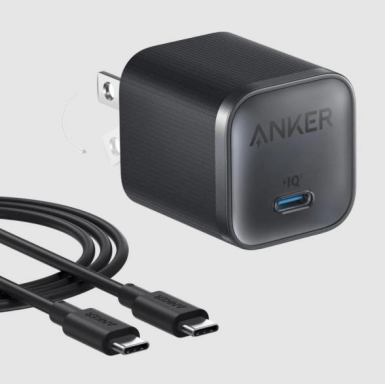
Strong battery life keeps your phone useful from morning to night without constant charging anxiety. Modern devices combine larger battery capacities with software that manages background activity and screen power. Many phones now include adaptive or smart charging features that learn your routine and slow down the final part of charging to reduce long-term battery wear. Some limit charging to around 80% overnight and finish just before you wake up. Fast charging standards, both wired and wireless, also help you recover several hours of use from just a short plug-in. To extend battery health, enable battery optimization settings, avoid keeping the charge at 100% all day, and use power-saving modes when you travel or know you will be away from a charger.
Fingerprint Unlock and Privacy Protection Tools
Fingerprint unlock offers a fast, secure way to access your phone without typing a PIN every time. Many devices place the sensor under the display or on the power button, so you can unlock as you pick up the phone. Set up more than one finger for better reliability. Beyond unlocking, strong privacy tools now live inside settings. App permission controls let you limit access to location, camera, microphone, and contacts, often with “only while using the app” options. Some phones alert you when an app uses these sensors in the background. You should also enable features like secure folders, encrypted backups, and built-in password managers. Together, these tools protect your photos, messages, and accounts if your device gets lost, stolen, or borrowed.

Conclusion
Modern smartphones pack far more capability than most owners ever tap into. Features like 5G connectivity, powerful processors, high refresh rate displays, and AI-driven cameras directly shape your daily experience, from smooth scrolling to sharper photos and lag-free video calls. At the same time, long battery life, smart charging tools, fingerprint unlock, and robust privacy controls keep your device dependable and your data safer. You do not need to master every hidden setting at once. Start by checking which of these core features your phone already supports, then enable and test them one by one. Small changes in how you use your device can add up to faster performance, better images, fewer charges, and more control over your personal information.